

Everything you need to stay on budget.
Timby keeps the daily part quick and the big picture clear. Here's what's inside, screen by screen.


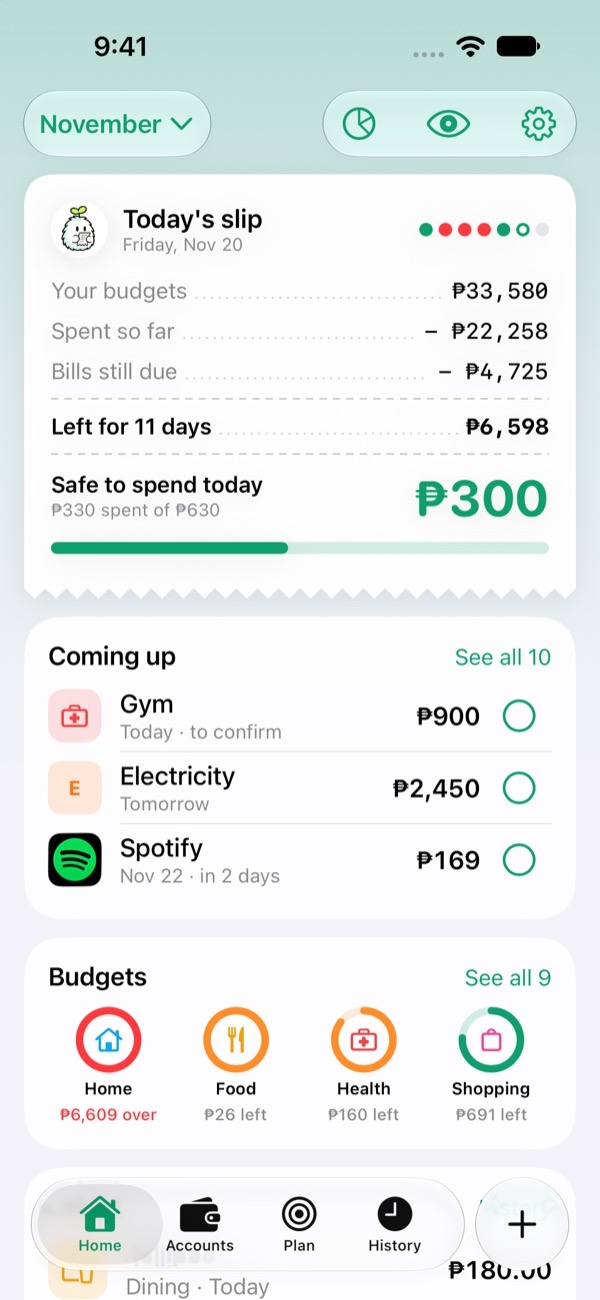
Your month at a glance.
Open Timby and you know where you stand, before you even tap anything.
Progress rings
Spent, saved and bills, each as a ring that fills through the month.
Safe to spend today
One number for today, worked out from what's left in your budget.
Payments due
Bills due in the next 30 days and the total, so nothing sneaks up on you.
Spending by category
See your biggest categories. Tap one to open its own page.
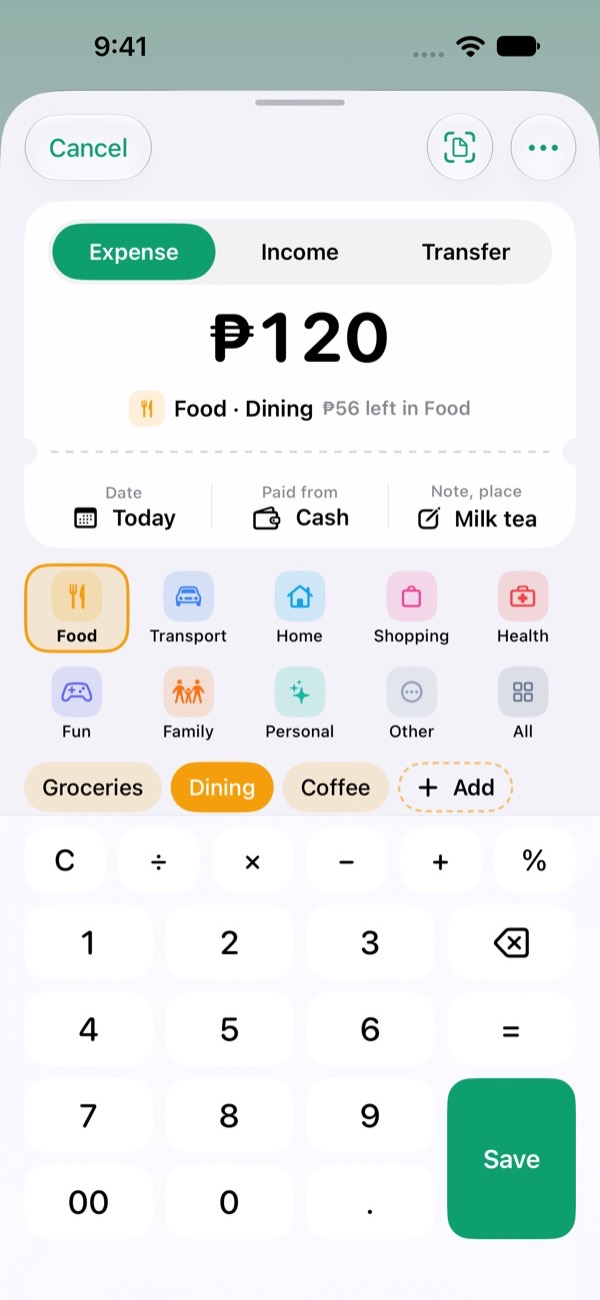
Log spending in seconds.
Tap the round + button, type the amount, pick a category. That's it.
Calculator keypad
Add up a few items right on the keypad. Timby does the sum.
See what's left
As you type: what's left in that category, per day, and safe to spend today.
"Usually" button
Timby remembers what you usually spend there. One tap fills it in.
Expense or income
Switch tabs to log income. Add a subcategory, shop or note if you like.
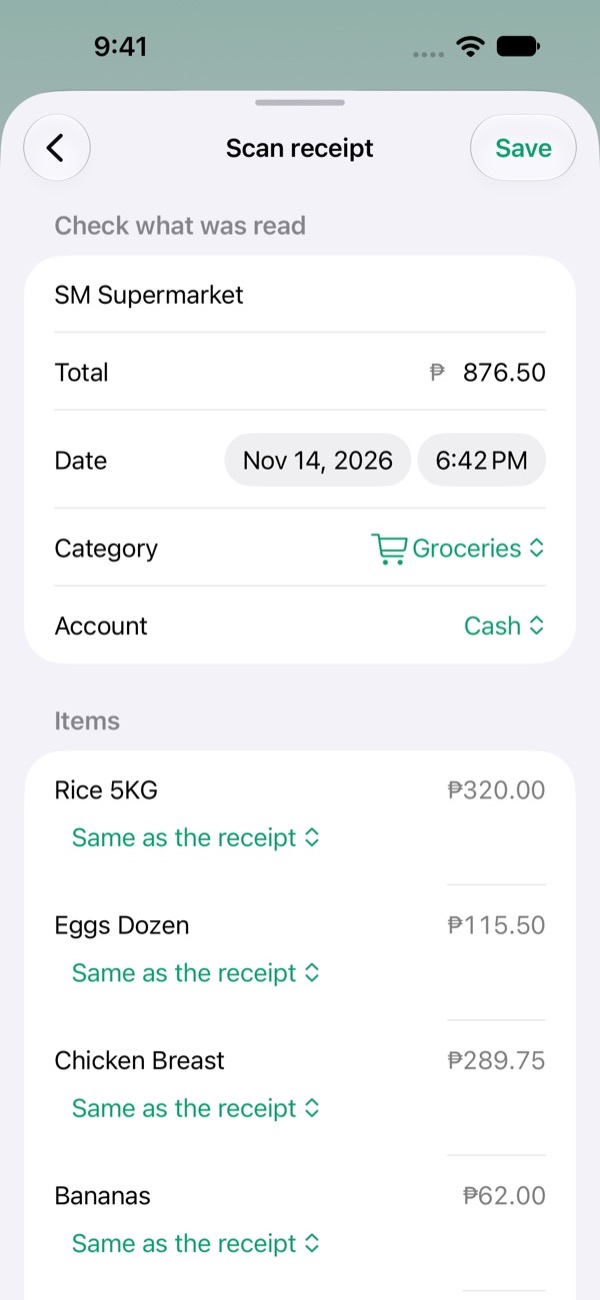
Snap a receipt. Skip the typing.
Take a photo, or choose one you already have. Timby reads it and fills in the details for you.
Read on your phone
The receipt is read on the device. Nothing is uploaded.
Check, then save
A review screen shows the shop, total and date. Fix anything first.
Picks a category
Timby suggests a category from the shop and items. Change it in a tap.
Works offline
No signal needed. Photos stay on your phone.
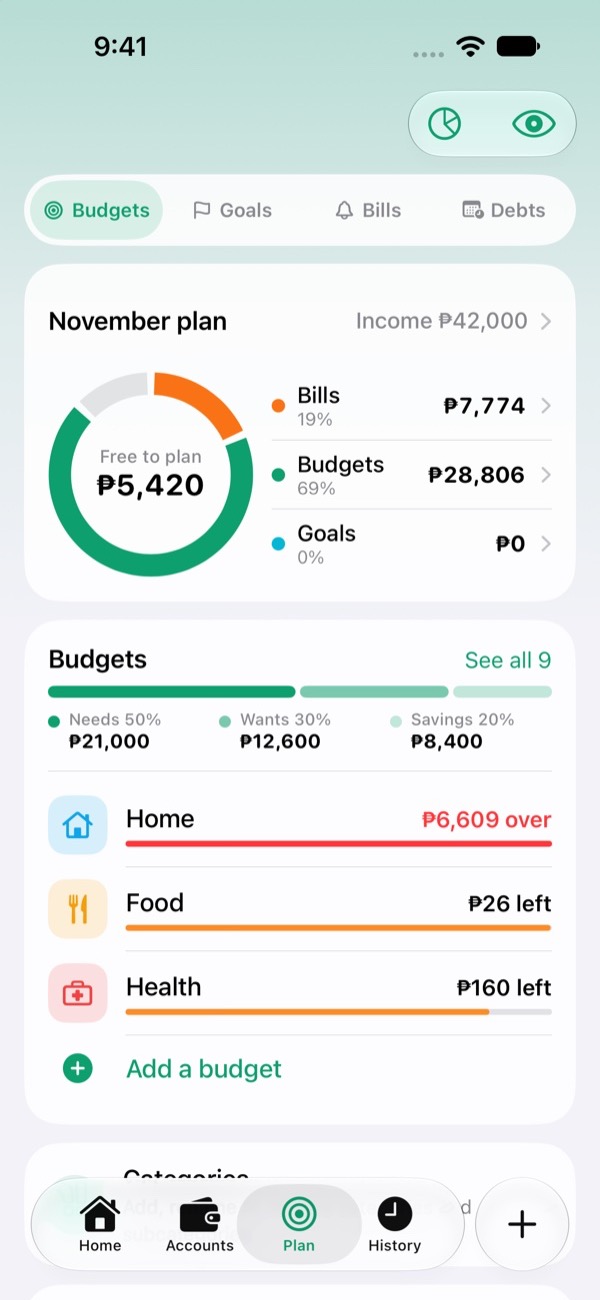
Plan ahead, without a spreadsheet.
The Plan tab keeps your budgets, goals, debts and bills in one place.
Suggested budgets
A starting split from your income: 50% needs, 30% wants, 20% savings.
Goals
Add money as you save. Set a date and see how much a month gets you there.
Debts
Track what you owe, the monthly payment and when the next one is due.
Bills and subscriptions
A reminder at 9 AM the day before each one is due.
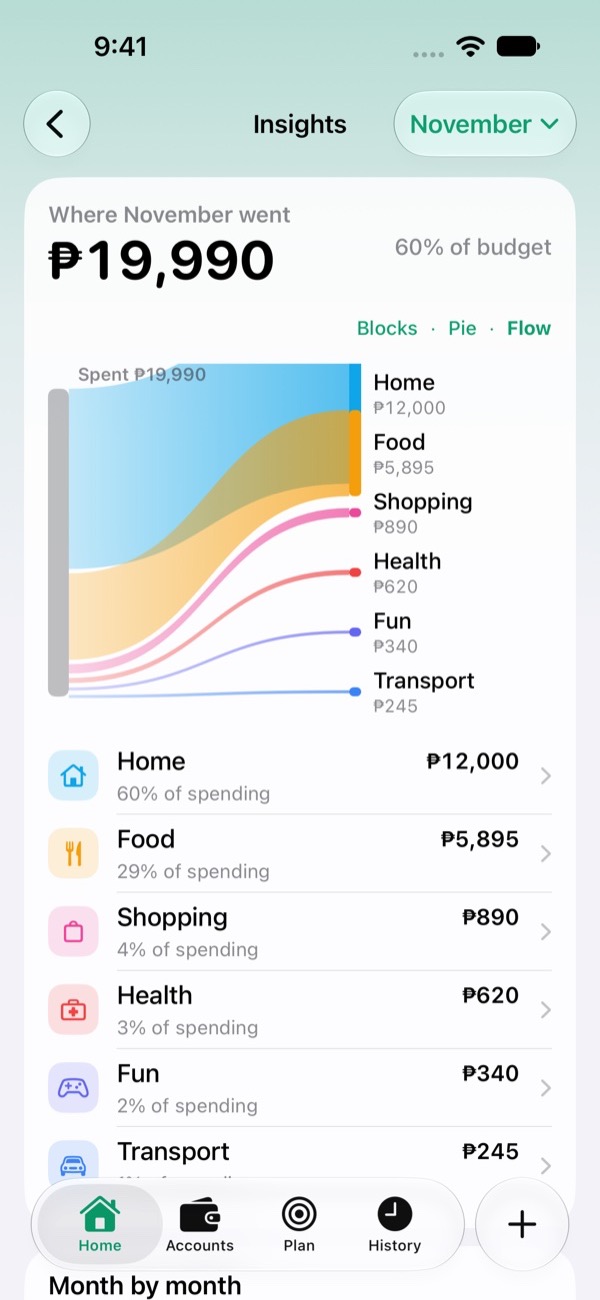
See where it all went.
Clear charts and a full history you can search, so spending less isn't guesswork.
Trend and facts
Monthly spending against your average, plus simple facts about your month.
Where it went
A donut of your categories, spending by weekday and your top places.
Search and filters
Find any entry by word, place or note. Tap it to edit or delete.
Category pages
A spending curve, the budget, and subcategories as Pie, Flow or Tiles.
Make it yours. Keep it private.
Open Settings from the round button at the top right of Home.
No account
No sign-up, no email. Your data lives only on your phone.
Lock with Face ID
Or fingerprint on Android. Keep your numbers to yourself.
Back up and export
Save a full backup or a CSV of your spending. Always free.
Your look
Light or dark, 8 accent colours, many currencies and your month start day.